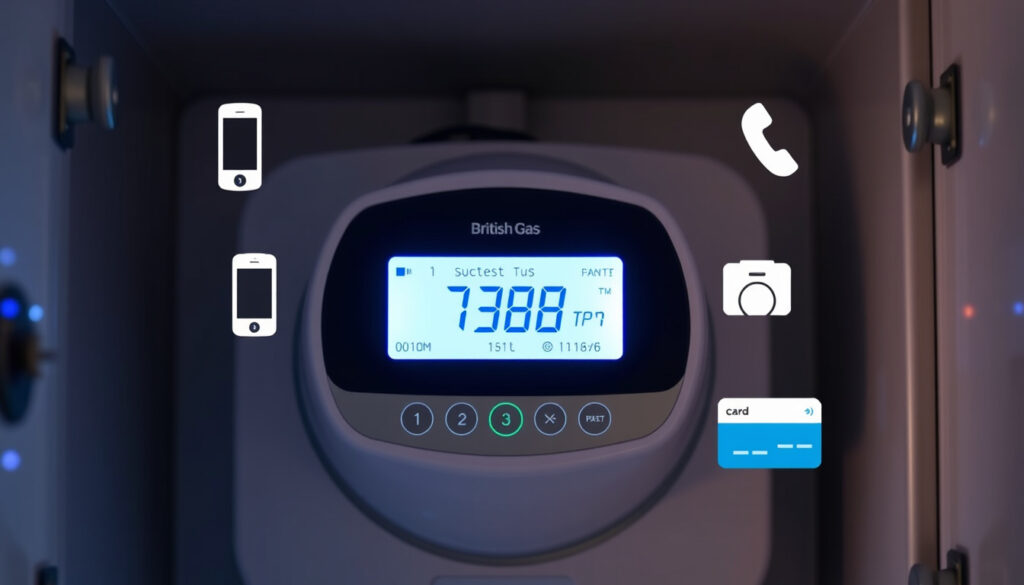
British Gas Top Up Smart Meter – Online, Phone & Guest Guide
British Gas customers with smart prepayment meters have several convenient options for adding credit to their accounts. Whether you prefer managing your top-up online, through a phone call, or as a guest without an account, understanding these methods can help you avoid unexpected interruptions to your gas or electricity supply.
Smart meters with prepayment functionality operate differently from standard credit meters. When the balance runs low, customers must add credit using one of the methods provided by British Gas. The process varies slightly depending on whether you have an online account and whether you need to top up without creating a profile.
This guide covers the main top-up channels available, along with practical details to help you choose the most suitable option for your situation.
How to Top Up Your British Gas Smart Meter Online
British Gas provides a dedicated online portal where customers can add credit to their smart prepayment meters. The process is designed to be straightforward, with options available for both registered account holders and those who prefer not to create a profile.
The online top-up system requires either an active British Gas online account or a 19-digit smart card number for guest transactions. Registered users benefit from saved payment details and faster checkout, while guests can complete transactions by entering their smart card information manually.
Having your 19-digit smart card number ready before starting the process will save time, especially if you are topping up as a guest without an existing account.
According to British Gas, the online top-up process involves four easy steps on their dedicated top-up page. Users with online accounts will not need to manually enter their smart card number each time, as the system remembers their details.
Online Top-Up Methods at a Glance
The following overview summarises the primary ways to top up online:
- Registered account holder: Log in to your British Gas profile and access the top-up section directly. Payment methods and smart card details are pre-saved.
- Guest user: Visit the guest top-up page and enter your 19-digit smart card number. No account creation is required.
- Desktop or mobile browser: The British Gas top-up portal works on any web browser, though a stable internet connection is recommended.
- Processing time: Credits typically apply to your meter within a short period after completing the transaction, though the exact timing may vary depending on meter connectivity.
Key Facts About British Gas Online Top-Up
| Method | Requirements | Details |
|---|---|---|
| Online (Account) | British Gas online account | Log in at britishgas.co.uk, saved payment details |
| Online (Guest) | 19-digit smart card number | No account needed, enter card details manually |
| Phone Automated | Smart card number | Call 0330 332 0976, available anytime |
| In-Person | Smart card or key | Visit local Post Office Near Me branch |
Top Up British Gas Smart Meter by Phone: Contact Number and Steps
For customers who prefer voice transactions or lack internet access, British Gas operates an automated phone line specifically for smart meter top-ups. This service runs 24 hours a day, allowing you to add credit to your account at any time without needing to speak to a customer service representative.
The dedicated contact number is 0330 332 0976. When calling, you will need your 19-digit smart card number readily available, as the automated system will prompt you to enter this information using your telephone keypad.
British Gas specifies the automated phone service for smart meter top-ups as 0330 332 0976. This line handles top-up transactions only and is available around the clock for prepayment customers.
Phone Top-Up Process
The phone-based top-up method follows a straightforward sequence. First, dial the number and listen to the automated prompts. Select the option for smart meter or prepayment top-up when requested. Then enter your 19-digit smart card number using your telephone keypad. Confirm the amount you wish to add and complete the payment if prompted.
British Gas states that customers can top up without needing to visit a Payzone or Post Office location by using this automated phone service. This makes it particularly useful for those with mobility restrictions or those living in areas where physical top-up points are less accessible.
The automated system processes payments securely and immediately applies the credit to your smart meter once the transaction is confirmed. If you encounter any issues during the process, the phone line may offer options to connect you with a human operator for assistance.
Using the British Gas Top Up App
Mobile applications offer a convenient way to manage household utilities on the go. British Gas maintains a mobile app that allows customers to access their accounts, view usage information, and handle billing matters.
However, based on the available information, the research does not provide confirmed details about app-based top-up functionality specifically for smart prepayment meters. The official search results consulted for this guide do not include specific documentation about topping up via the British Gas mobile app.
For confirmed details about app-based smart meter top-up options, British Gas advises customers to contact them directly or visit their full support website for the most current information on mobile functionality.
If app-based top-up is important to you, British Gas recommends checking their official channels for updates regarding mobile features. The app may still be useful for general account management, viewing statements, and accessing other services even if dedicated top-up functionality is limited.
How to Do a Guest Top Up for British Gas Smart Meters
Not everyone with a British Gas smart prepayment meter has an online account, and creating one may not always be necessary or convenient. British Gas accommodates these customers through a guest top-up option that allows anyone with a smart card number to add credit without registering or logging in.
This feature is particularly useful for landlords managing properties on behalf of tenants, for new customers who have not yet set up their online profile, or for occasional users who prefer not to maintain another online account. The guest top-up portal simply requires your 19-digit smart card number to proceed.
When Guest Top-Up Is Most Useful
- You have recently moved into a property with an existing British Gas smart prepayment meter
- You are temporarily managing an account for a family member or friend
- You prefer not to create online accounts but still need to add credit
- Your regular account access is temporarily unavailable
The guest top-up process mirrors the registered user experience in most respects. You select your top-up amount, provide payment details, and receive confirmation of the transaction. The main difference is that your details are not saved for future transactions, meaning you will need to enter your smart card number each time.
For customers who expect to top up regularly, creating a full British Gas account may be more efficient in the long run, as it streamlines the process and provides access to additional account management features.
British Gas Smart Meter Top Up Code Explained
When topping up a British Gas smart prepayment meter, you may encounter references to a top-up code or voucher system. Understanding how these codes work can help clarify the transaction process and what information you need to have on hand.
In the context of British Gas smart meters, the term “top-up code” generally refers to confirmation numbers or reference codes generated during the online or phone transaction process. These codes serve as proof that a payment has been successfully processed. You do not typically need to enter a code manually into your meter, as the credit is transferred electronically. For further details on the UK state pension increase campaign, please visit UK state pension increase campaign.
The 19-digit smart card number functions as your primary identifier for the meter and is required for both guest and account-based top-ups. This number is usually printed on your smart card or key fob, or displayed on your meter screen if you press the appropriate button sequence.
Understanding What Is Established and What Remains Unclear
| Established Information | Information That Remains Unclear |
|---|---|
| Online top-up available via British Gas website | Specific app functionality for top-up |
| Phone top-up via 0330 332 0976 automated line | Processing times for meter credit application |
| Guest top-up option with smart card number | Minimum or maximum top-up amounts |
| In-person top-up at Post Office locations | Availability of other retail top-up points |
Background on Smart Prepayment Meters
Smart prepayment meters, sometimes referred to as PAYG (pay-as-you-go) meters, represent a specific category of smart metering technology designed for customers who prefer to pay for their energy in advance rather than on a monthly billing cycle.
These meters allow customers to monitor their credit balance in real time, often displaying remaining funds on a built-in screen. When credit runs low, the meter typically provides visual or audible warnings, giving customers time to add funds before supply is interrupted.
Many newer smart meters installed in British homes are SMETS2 (Smart Metering Equipment Technical Specifications 2) devices, which are designed to provide improved connectivity and functionality compared to earlier models. These meters can communicate with the energy supplier remotely, enabling electronic top-ups without the need for traditional physical keys or tokens.
Prepayment meters remain a popular choice for renters, budget-conscious households, and those who prefer the certainty of paying upfront. The ability to top up through multiple channels, including online and phone, adds convenience for customers who may not have easy access to physical top-up locations.
What Customers Are Saying: Sources and Guidance
British Gas provides official guidance on their website and through their support channels regarding smart meter top-up procedures. The following statements reflect information published directly by the energy supplier:
“Top up anytime by calling our automated line on 0330 332 0976 with your 19-digit smart card number ready.”
— British Gas help and support pages
“You can top up online as a guest using your 19-digit smart card number.”
— British Gas my account top-up information
These sources emphasise the importance of having your smart card number accessible for all top-up methods, whether you are using the online portal, automated phone service, or in-person options.
Choosing the Right Top-Up Method for Your Needs
Selecting the most appropriate top-up method depends on your circumstances, preferences, and access to technology. Registered British Gas account holders who regularly manage their energy online may find the full account experience most convenient, as payment details and meter information are stored securely.
Guest top-up suits those who need occasional top-ups without committing to an online account. Phone top-up remains valuable for customers who prefer spoken guidance or lack reliable internet access. In-person options, such as visiting a Post Office Near Me branch, provide a physical alternative when digital channels are unavailable.
For those interested in related utility topics, understanding broader energy market dynamics can provide useful context. Monitoring developments from major energy providers helps customers make informed decisions about their energy arrangements.
Can I top up my British Gas smart meter online for free?
The online top-up process itself does not require a fee beyond the credit amount you are adding. Any additional charges would depend on your chosen payment method, such as credit card processing fees if applicable.
What should I do if my top-up does not reach my meter?
If credit does not appear on your meter shortly after a top-up, British Gas recommends checking that the smart card is correctly inserted and that the meter display shows the updated balance. If the issue persists, contact British Gas support for assistance.
How do I obtain a British Gas smart meter?
British Gas customers can request smart meter installation through their account or by contacting customer support. Eligibility may depend on your location and the existing infrastructure in your area.
What is the contact number for British Gas smart meter support?
The automated phone line for smart meter top-ups is 0330 332 0976. For general queries, British Gas provides additional contact options through their official website.
Do I need an account to top up my British Gas smart meter?
No. British Gas offers a guest top-up option that allows customers to add credit without creating an online account, using only the 19-digit smart card number.
Can I top up my British Gas smart meter at a Post Office?
Yes. British Gas confirms that customers can top up at their local Post Office branch using their smart card or key. Post Office locations serve as convenient in-person top-up points.
More related posts
 Peter Schmeichel – Complete Biography, Stats and Career Legacy
 Camilla Tominey – Biography, Family, Career and Net Worth
 Tim Westwood – Biography, Allegations and Trial Date 2027
 Ironing Service Near Me – Top Cleveland Providers
 Thames Water Hosepipe Ban – Lifted After Four Months
 Planning and Infra tructure Bill – Guide to the 2025 Act
 Clive Swift – Biography, Death, Net Worth and Family
 Are Strawberrie Good for You – Health Benefit and Nutrition Fact